
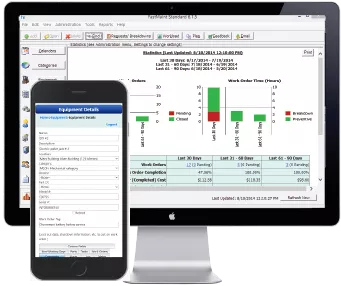
Confused by the FastMaint CMMS selections available? The following information can help you find which edition of FastMaint CMMS is right for your organization (Compare Editions). You can upgrade to the next edition as needs change.
You can also review the “CMMS Benefits & Return On Investment Case Study“. This has an example showing the costs and benefits of using preventive maintenance software. Therefore it can be helpful with the CMMS selection process.
1. Small organization/ Independent workgroup
For instance small organizations or independent work groups that require a way to automate existing maintenance task tracking. Paper and pencil or spreadsheets are no longer feasible solutions. Only one person is expected to handle all maintenance tracking and scheduling.
CMMS selection advice:
The single user FastMaint Standard edition is a good choice if you are starting small with a limited budget. Easy to install and use. It will help you get up and running soon.
In addition FastMaint Cloud is also a good choice if you are on a budget but want more advanced features. For instance automatic report generation, emailed work order processing and work request management.
2. Mid sized organization – Small team
Medium sized organizations with a small maintenance team (five to ten members). To clarify only a few people are expected to use the software.
CMMS selection advice:
FastMaint Professional (five user license) or FastMaint Web (one/ five user license) are good choices. FastMaint Web is easier to deploy and manage. However, if you do not have a computer with Windows 10 or better to run the web server, you will need FastMaint Professional.
In addition FastMaint Cloud is also a good choice if you are on a budget but want more advanced features found in FastMaint Web.
3. Mid sized organization – Big team
Medium size organizations with a mid-size maintenance team (ten to thirty members) OR those where there are many people from multiple departments that need access to the maintenance software.
CMMS selection advice:
FastMaint Professional (five/ ten user, concurrent license) OR FastMaint Web (five/ ten user, concurrent license) are good choices. Concurrent licenses allow you to install/ use the software on any number of computers and create multiple user accounts.
Do you need to manage maintenance requests? FastMaint Web is a better choice since work request management is built-in.
4. Large organization
Small divisions or workgroups within large organizations that need a maintenance solution that can be rolled out quickly and affordably. There may be some need to integrate with enterprise level systems to provide maintenance data or reports.
CMMS selection advice:
FastMaint Professional (ten/ fifteen user, concurrent license) OR FastMaint Web (ten/ fifteen user license) are good choices.
Maintenance data can be exported out from the FastMaint Professional/ Web database to text files or spreadsheets for import into other enterprise systems.
5. Highly integrated large organization
Large organizations with multiple locations that need an enterprise class system that will integrate with existing ERP systems and provide centralized control and audit of all maintenance activities.
CMMS selection advice:
FastMaint is not a good choice here. It would make sense to consider add on maintenance modules available with many ERP systems. However, one must be prepared for a fairly long deployment and training time to use such systems effectively.
FastMaint may make a good stopgap solution for some groups that need a temporary solution until the enterprise solution is available. Maintenance data can be exported out from the FastMaint Professional/ Web/ Cloud database to text files or spreadsheets for import into other enterprise systems.
Still have questions? You can Contact Us for more information.