
OFFICIAL SITE · FASTMAINT CMMS BY SMGLOBAL
The CMMS your maintenance team will actually use
Complete enough for real preventive maintenance. Simple enough that your technicians adopt it instead of abandoning it. Running in days: no IT department, no consultant, no six-month rollout.
See exactly how it works before you install anything. Prefer to try it live? The cloud trial runs in your browser, with nothing to download.
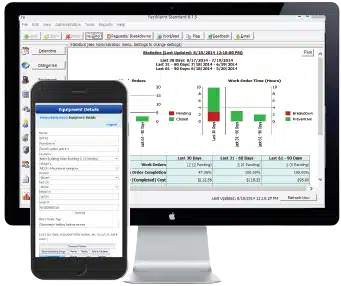
FastMaint on your desktop and your phone, so you can manage maintenance wherever the work is.
TRUSTED BY MAINTENANCE TEAMS FOR 20+ YEARS






Pepsico · Westin Hotels · Katoen Natie · JB Weld · Alberta Electric System Operator · City of Boulder Water Treatment
Why teams pick FastMaint and stay for years
- Simple enough your team actually adopts it. The #1 reason customers stay a decade: their technicians will use it.
- Core maintenance comes standard. You don’t pay extra to unlock preventive maintenance the way you do with some competitors’ tiers. Pick the edition that fits your team.
- Fast setup, no IT. Import your equipment and tasks and start scheduling in days, not quarters.
- Own it or rent it. One-time install-and-own license, or a monthly cloud subscription. Same product, your choice.
What makes FastMaint different
Your techs will use it
A CMMS only works if the team opens it. FastMaint is built to be simple enough that maintenance technicians adopt it – not another tool that becomes shelfware after month one.
Core maintenance, not upsold
Work orders, preventive maintenance scheduling, equipment, spare parts and reporting come standard, so you don’t pay to unlock preventive maintenance as a “premium tier.” Built-in work requests and scheduled reports come with the Web and Cloud editions; the barcode module is the only optional add-on.
Running in days
Import equipment, facilities and spare parts to set up fast. No consultant, no dedicated IT, no lengthy rollout. Most teams are scheduling their first work orders the same week.
Free: Key Maintenance Metrics Guide
The 8 metrics that tell you how your maintenance program is really running: work order backlog, completion rate, equipment downtime hours, preventive vs. breakdown time, and more. These are the same metrics FastMaint puts on your dashboard.
See what FastMaint is all about
Here’s a quick overview of what FastMaint does and why maintenance teams choose it. Then scroll down to see the actual screens, or jump straight into a free trial.
A short overview of FastMaint CMMS: why teams choose it, a look at key features, and what customers say. No download needed to watch.
A look inside FastMaint
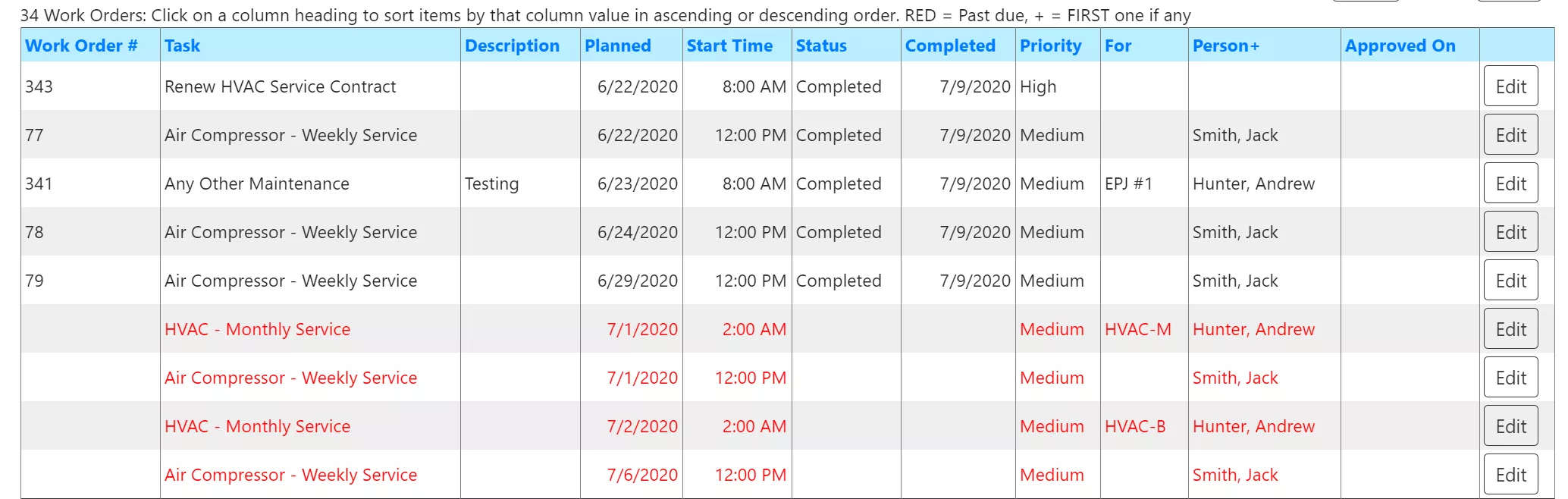
Work orders
Schedule, assign and track every job in one list. In the Professional, Web and Cloud editions you can email or text work orders to technicians and process their replies to close them.
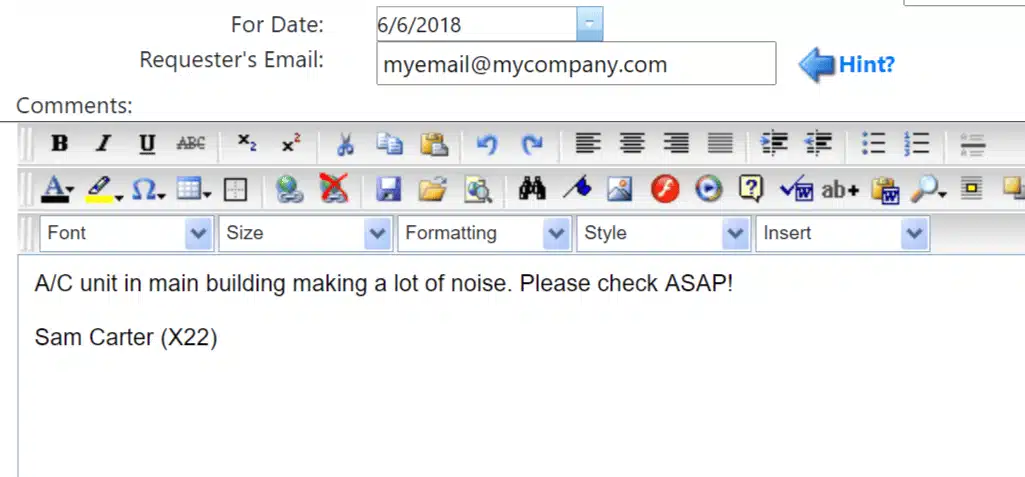
Work requests
Let other departments submit requests, even by email, then turn them into work orders in a couple of clicks. Built into Web and Cloud; available as an add-on for Professional. Not in Standard.
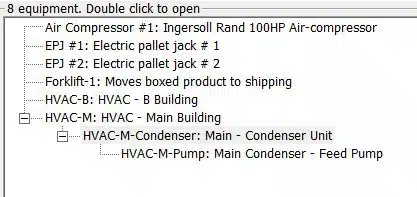
Equipment hierarchy
Organize equipment and facilities in a clear tree. Attach photos, manuals and maintenance history to any asset.
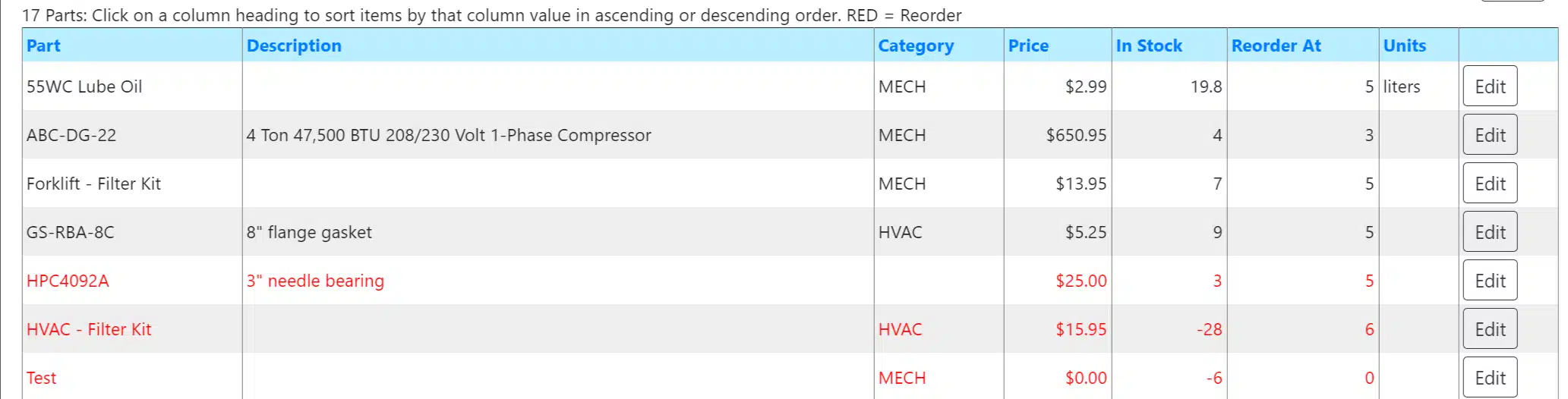
Spare parts
Track parts and supplies, link them to equipment and work orders, and see what a job actually cost in parts and labor.
No pressure, no salesperson. The trial is fully functional and free for 30 days. You don’t need a credit card, and no one has to call you before you can look.
Looks like a fit?
You’ve seen how it works. Start your free 30-day trial. Run it in your browser or download it for Windows.
Common questions before you download or trial
“Do I have to install something just to try it?”
No. The cloud trial runs entirely in your web browser, with nothing to install and nothing for IT to configure. If you’d rather keep everything on your own computer, the Windows download trial is there too. Either way it’s the full product, free for 30 days.
“Is setup going to eat my week?”
You import your equipment, facilities and spare parts rather than typing them in one by one, and the five-minute video tutorials walk you through the first work orders. Most teams are up and scheduling within days.
“Will my technicians actually use it, or will it become shelfware?”
This is the real question, and it’s why customers pick FastMaint over busier or heavier tools. It’s simple enough that techs adopt it. And on the multi-user editions you can send work orders by email or text, so they don’t even have to navigate screens to get and close jobs. That’s a big reason so many customers are still with us after 10+ years.
“What does it cost, and do I have to pick a plan now?”
Cloud subscriptions start at $100/user per month with nearly everything included; there’s also a one-time install-and-own license. Pricing scales with the size of your database, so the simplest path is to try it, then ask us for a quote. You don’t choose anything to start the trial.
What customers say
FastMaint is really easy to setup and to use. It does everything that we need it to do.
— Star Metal Products Co. (10+ year customer)
One of the easiest CMMS programs to setup and use. Reports, work orders and purchase orders are very professional in appearance and functionality.
— Craig Still, Maintenance Manager, Middletown Industrial, Inc.
I have been thoroughly satisfied with FastMaint — it continues to meet our needs. We are now using it at two facilities. Simple to install and use. We’ve been using it around a decade.
— Frank Seipel, Engineer, Vertex Energy
One product, two ways to run it
FastMaint comes in four editions, but the choice is really simple: install and own it on your own computers, or let us host it so there’s nothing to maintain. You can start on one and move your data to another as your team grows.
INSTALL & OWN
Standard
A single-user edition for one person managing equipment or facility maintenance. Install it and it’s yours.
INSTALL & OWN
Professional
Multi-user, installed on your computers. Starts with a built-in database and moves to Microsoft SQL Server when you need more power.
INSTALL & OWN
Web
Multi-user, installed on your own server and accessed through a web browser on desktops, tablets and phones.
WE HOST IT
Cloud
The Web edition, hosted and managed by us. Nothing to install or maintain; just sign in from a browser. The easiest way to start.
Compare all editions & features →
Start your free 30-day trial
Full product. No credit card. Run it in your browser (cloud) or download it for Windows, and you’ll be scheduling work orders in minutes.
Not sure which CMMS is right for you? Get the free CMMS Software Selection Guide →
Frequently asked questions
Is FastMaint a good fit for a small maintenance team?
Yes. It’s designed for small industrial and facility maintenance teams, from a single person up to about a dozen users. It’s complete enough for real preventive maintenance without the weight of an enterprise system built for large multi-site rollouts.
Do I need an IT department to run it?
No. Choose the Cloud edition and there’s nothing to install — we host and maintain it. If you prefer to own and install it yourself, setup is straightforward and our video tutorials walk you through it.
Can I move my data if I start with the trial or a different edition?
Yes. You can start on Standard, Professional, Web or Cloud and migrate your data as your needs change while keeping the same familiar interface.
How long does the free trial last, and is it the full product?
The trial is fully functional and free for 30 days, with no credit card required. You can evaluate everything before deciding whether to buy a license or start a subscription.
What does FastMaint cost?
Cloud subscriptions start at $100/user per month with nearly everything included. There’s also a one-time install-and-own license. Sign up in minutes for a Cloud trial. Or visit the Download page and download the trial software that you can convert later to an install-and-own-license.
Before you go: grab the free metrics guide
Even if you’re still comparing options, the Key Maintenance Metrics Guide gives you the 8 numbers every maintenance program should track, useful no matter which CMMS you choose.